

Our Verdict
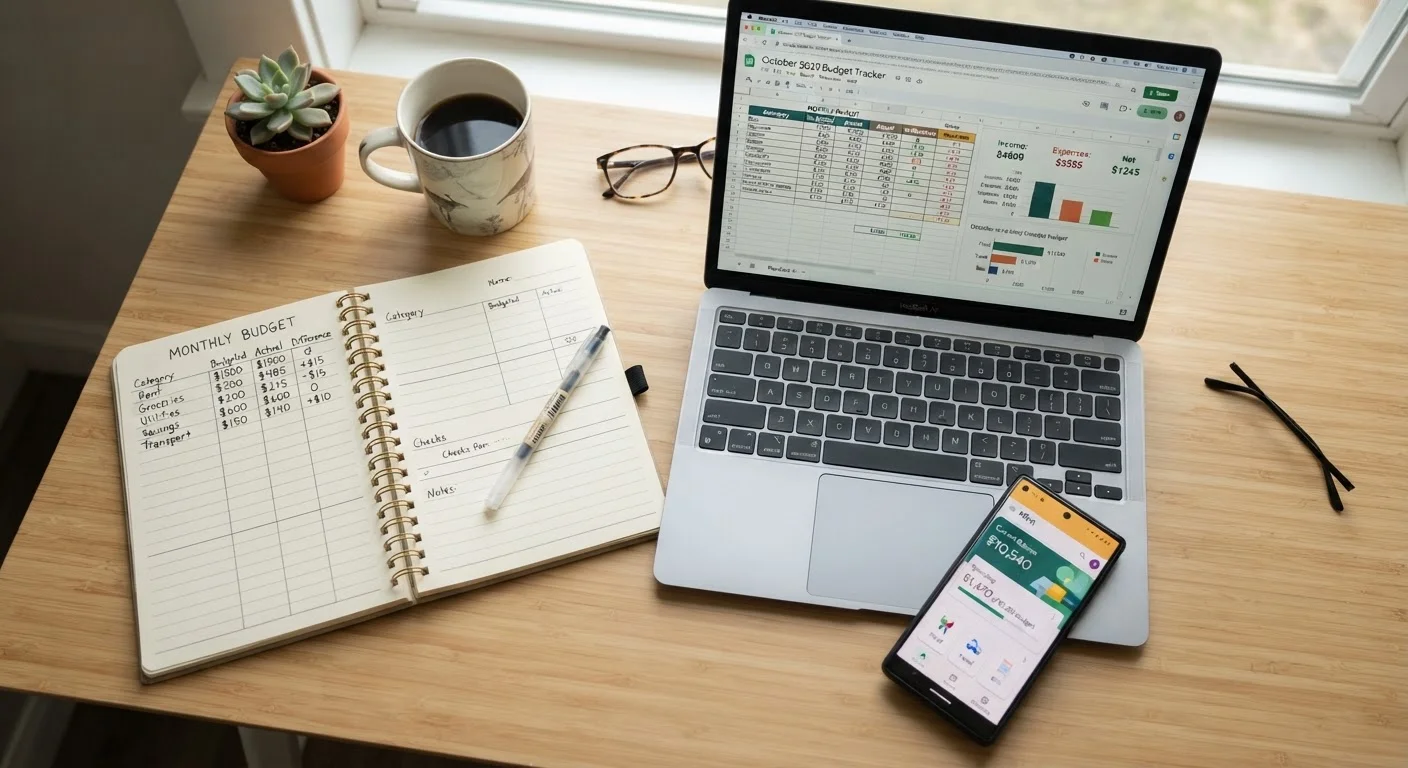
Each tracking method works when used consistently. Paper suits tactile learners who value simplicity and privacy. Spreadsheets fit detail-oriented people who want full control without connecting financial accounts. Apps work best for those who prefer automation and don't mind the setup trade-offs. The right choice is whichever one you'll open every week.
| Best for | Recommended |
|---|---|
| Those who want low-tech simplicity and complete privacy | Paper |
| Detail-oriented people who want customizable control | Spreadsheet |
| Busy households who prefer automated transaction syncing | App |
| Beginners just starting to build awareness of spending | Paper |
Why Tracking Spending Is the Starting Point
You can't manage money you can't see. Before picking a savings strategy or paying down debt, most financial educators recommend a simpler first step: write down what you spend. That single habit - recording purchases - helps you spot patterns, catch surprises, and make deliberate choices instead of reactive ones.
The good news is you don't need any particular tool to do this well. Paper, a spreadsheet, or a budgeting app can all get the job done. The question is which fits your habits, comfort level, and privacy preferences. If you're just getting started, our personal budgeting introduction covers the broader picture from income to irregular costs.
Start With One Month of Observation
Before committing to a method, try tracking every purchase for a single month using whichever tool feels least intimidating. That first month is about building awareness, not perfection. Once you have 30 days of data, you'll have a much clearer picture of which categories need attention - and whether your chosen tool is working for you.
Comparing the Three Approaches
Each method has genuine strengths and real limitations. Here's how they stack up across the criteria that matter most for everyday use.
| Paper | Spreadsheet | App | |
|---|---|---|---|
| Setup time | Minutes | 30 min - several hours | 15-45 minutes |
| Daily effort | High - all manual | Medium - manual entry | Low - mostly automated |
| Math and totals | Manual only | Automatic with formulas | Automatic |
| Customization | Fully flexible | Fully flexible | Limited by app design |
| Privacy | Complete | High - stays local | Lower - account linking required |
| Cost | Notebook price only | Free to low cost | Free to ~$15/month |
| Best for beginners? | Yes | Moderate learning curve | Yes, if tech-comfortable |
The comparison above isn't a ranking - it's a map. Where one approach has a gap, another fills it. Understanding those trade-offs is more useful than looking for a winner.
Paper: Slow by Design, Useful for Awareness
Writing expenses in a notebook forces a brief, deliberate pause every time money leaves your pocket. That friction is actually the point. Some people find that slowing down makes spending feel more real, which can help curb impulse purchases. Research on payment psychology suggests that more tangible methods of recording transactions can increase awareness - for more on how payment habits shape behavior, see our article on how your payment method shapes what you spend.
The limitations are straightforward: paper requires daily discipline, offers no automatic totals, and is easy to lose or forget. It also doesn't scale well if you have many accounts or a household with multiple spenders.
Best for: People who want a private, no-tech starting point or who learn better by writing things down.
Spreadsheets: Flexible but Requires Setup
A spreadsheet - whether in a free tool like Google Sheets or a desktop program - sits between paper and an app in terms of effort. You still enter transactions manually, but the spreadsheet can do the math for you. Formulas add up categories, flag overspending, and show month-over-month trends instantly.
The learning curve depends on how comfortable you are with basic formulas. If the words SUM and IF make you nervous, starting with a pre-built template can help. The bigger appeal for many people is control: your data stays on your device or private account, and you design the categories yourself rather than accepting defaults someone else created.
Spreadsheets pair naturally with structured approaches like the 50/30/20 rule or zero-based budgeting - both of which are explained in our overview of savings strategies worth knowing.
Best for: Detail-oriented people who want customization and aren't ready to connect bank accounts to third-party software.
Apps: Convenient but Not Without Trade-Offs
Budgeting apps automate the part most people find tedious: logging every transaction. After you link your bank and credit card accounts, the app pulls in purchases automatically and sorts them into categories. For busy households, that automation is genuinely useful.
The trade-offs deserve honest attention. Linking financial accounts means sharing your login credentials or authorizing third-party data access, which carries privacy and security considerations. Read the privacy policy of any app before connecting accounts, and use strong, unique passwords. Some apps are free; others charge monthly fees that add up over a year.
Apps also vary in how well their automatic categories match your real life - you'll often need to correct mislabeled transactions and build the habit of reviewing the app regularly rather than just assuming it's accurate.
Scrutinize App Privacy Policies
Not all budgeting apps handle your financial data the same way. Some share or sell aggregated spending data to third parties. Before connecting any bank account, read the app's privacy policy and understand how your information is stored, used, and protected. If an app's data practices aren't clearly disclosed, that's worth noting before you link sensitive accounts.
Building good spending habits is ultimately what makes any tool work. Our piece on spending habits worth building early walks through the patterns that quietly erode budgets over time.
Best for: People who want minimal manual entry and are comfortable with the security and privacy considerations of connecting financial accounts.
This article is for general informational purposes only and does not constitute personalized financial advice. Consider speaking with a licensed financial professional for guidance specific to your situation.
The content provided on our blog site traverses numerous categories, offering readers valuable and practical information. Readers can use the editorial team’s research and data to gain more insights into their topics of interest. However, they are requested not to treat the articles as conclusive. The website team cannot be held responsible for differences in data or inaccuracies found across other platforms. Please also note that the site might also miss out on various schemes and offers available that the readers may find more beneficial than the ones we cover.